
How SaaS Teams Use AI to Improve Email Personalization

No two customers use a product in exactly the same way. Some dive in immediately and start exploring advanced features, while others need more guidance before they reach their first success. As a result, communication that feels helpful to one customer can be completely irrelevant to another.
That reality has made email personalization an increasingly important focus for software businesses. Customers expect communication that reflects their behaviour, needs, and stage in the journey, but maintaining that level of relevance becomes more difficult as customer bases grow. What begins as a manageable onboarding sequence can quickly evolve into a complex mix of lifecycle emails, behavioural triggers, and customer segments.
This is one reason many SaaS companies are rethinking how they approach email marketing automation and personalization at scale. Combined with strong segmentation and customer data, AI can help teams adapt communication across different scenarios without relying entirely on manual effort. The result is a more practical approach to personalized email marketing that remains manageable as products, audiences, and customer journeys become more complex.
In this article, we'll explore how software businesses are approaching email personalization today, what scalable personalization looks like in practice, and how AI fits into modern email workflows.
Table of Contents:
- What email personalization really means
- How AI supports email personalization across the customer lifecycle
- Email personalization in practice
- How to build a human-AI workflow
- Takeaways: Email personalization that scales
What email personalization really means
Let's clear up a common misconception: email personalization isn't about adding someone's first name to a subject line, nor is it about using AI to generate thousands of automated emails at the click of a button.
At its core, email personalization is about relevance. A user who just signed up for a free trial needs different guidance than a long-time customer exploring advanced features. Someone who has stalled during onboarding requires a different conversation than an account approaching its usage limits. The more closely communication reflects a customer's situation, the more likely it is to be useful.
The challenge is maintaining that level of relevance as businesses grow. What starts as a handful of onboarding emails can quickly evolve into dozens of behavioural triggers, lifecycle campaigns, and customer segments.
Effective email personalization usually comes down to four core activities:
- Understand the customer: Identify meaningful segments based on behaviour, needs, and lifecycle stage.
- Recognize relevant signals: Product usage, onboarding progress, and engagement data all provide valuable context.
- Adapt the message: Tailor communication to a customer's situation rather than relying on a generic campaign.
- Measure and refine: Use performance and behavioural data to continuously improve your workflows.
AI helps make that process more manageable. Rather than replacing the strategy behind email personalization, it can help teams analyze customer signals, adapt messaging across different segments, and support more personalized communication at scale. Combined with strong workflows and customer data, it gives software businesses a practical way to maintain relevance as customer journeys become more complex.
How AI supports email personalization across the customer lifecycle
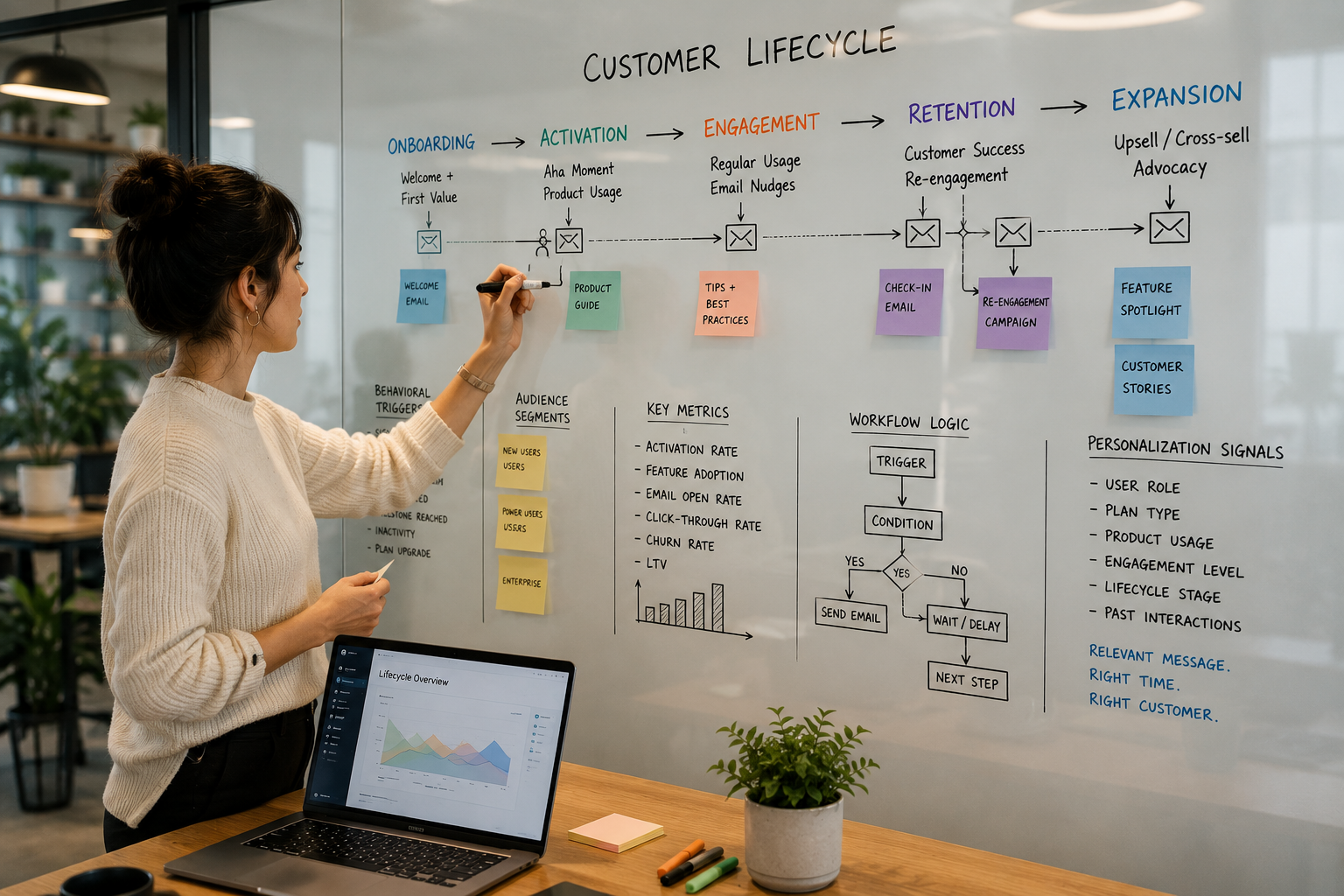
Once email personalization is tied to customer behaviour, it starts to show up across the entire customer lifecycle. New users need onboarding, engaged customers want to discover more value from the product, and existing accounts benefit from different conversations depending on how they're using the platform. AI can support that process by helping teams recognize signals, adapt messaging, and maintain relevance as customer journeys become more complex.
Making personalization more scalable
Before AI, teams often reserved their most personalized communication for a small group of high-value accounts. The research and writing required to tailor every message simply didn't scale.
Today, AI can help teams work with a much larger set of contextual signals, from product usage and lifecycle stage to customer attributes and engagement history. This makes it easier to adapt communication to a customer's situation without having to rebuild every email from scratch.
That doesn't eliminate the need for human judgment. AI can help generate ideas, surface insights, and draft content, but human oversight remains essential to ensure communication is accurate, useful, and genuinely relevant to the recipient.
Supporting more personalized outreach
Email personalization isn't limited to existing customers. Many software businesses are also applying AI to outbound communication and prospecting workflows.
Research that once required manually reviewing websites, LinkedIn profiles, and company announcements can now be completed much more efficiently. Teams can quickly identify relevant context, generate multiple messaging angles, and test different approaches without dramatically increasing the time required for each campaign.
For growing businesses, this lowers the cost of experimentation and makes it easier to refine outreach strategies without adding significant overhead.
Extending personalization beyond acquisition
Some of the most valuable applications of AI happen after a customer signs up.
As customer journeys become more complex, the number of communication opportunities grows alongside them. Onboarding, activation, retention, expansion, and renewal all create moments where customers may benefit from different information, guidance, or support.
AI can help teams monitor behavioural signals, identify meaningful moments in the customer journey, and adapt communication accordingly. Instead of relying on generic check-ins or static nurture sequences, businesses can build workflows that respond to how customers are actually engaging with the product.
The result is a more practical approach to personalization at scale. Rather than creating more communication, teams can focus on delivering more relevant communication based on where customers are in their journey and what they may need next.
Email personalization in practice
The ideas behind email personalization are easy enough to understand. The hard part is making them work consistently as customer journeys become more complex.
Across the SureSwift portfolio, teams are using AI in different ways to tackle that challenge. In some cases, it's helping support more personalized communication across a growing number of user segments. In others, it's helping teams identify where existing workflows need improvement. The common thread isn't the technology itself. It's finding ways to make customer communication more relevant without creating a huge amount of additional work.
Docparser and Mailparser: Scaling personalization across customer journeys
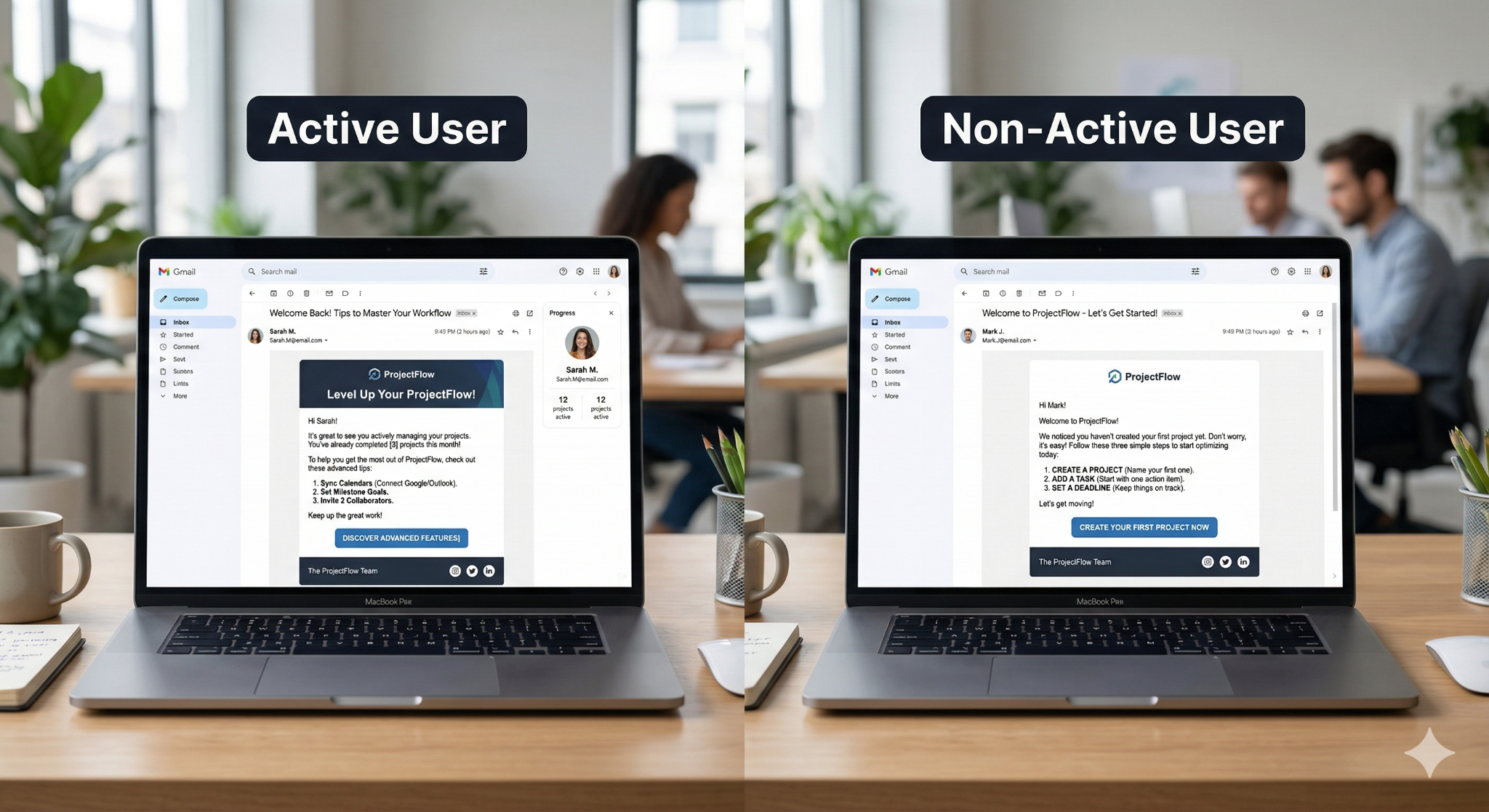
Across our software businesses, we're moving away from static drip campaigns and toward communication that's triggered by what users are actually doing inside the product.
For Docparser and Mailparser, that means looking at key moments in the customer journey and adapting communication accordingly. Uploading a first document, creating parsing rules, setting up exports, or approaching a trial limit all provide context about what information may be most useful next.
The team is exploring how AI can support these workflows within its broader lifecycle marketing systems. For example, HubSpot's Breeze AI capabilities can help generate email variations, refine subject lines and CTAs, and scale messaging across different customer segments. Rather than spending hours rewriting emails for dozens of different scenarios, teams can adapt communication more efficiently and focus on what actually drives activation: designing workflows, defining behavioural triggers, and improving the overall customer experience.
Here's a simplified example of how that logic works in practice:
| User Behaviour | Personalized Communication |
|---|---|
| Uploads first document without creating parsing rules | Send guidance to help the user complete rule creation |
| Creates a parser but hasn’t configured exports | Deliver instructional content focused on exporting data |
| Approaches trial or usage limits | Shift messaging toward product value and upgrade readiness |
The technology helps scale the communication, but the effectiveness of the system still depends on understanding customer behaviour and building thoughtful workflows around it.
MeetEdgar: Improving existing lifecycle workflows
For MeetEdgar, AI has been particularly valuable as both a writing and analytical tool.
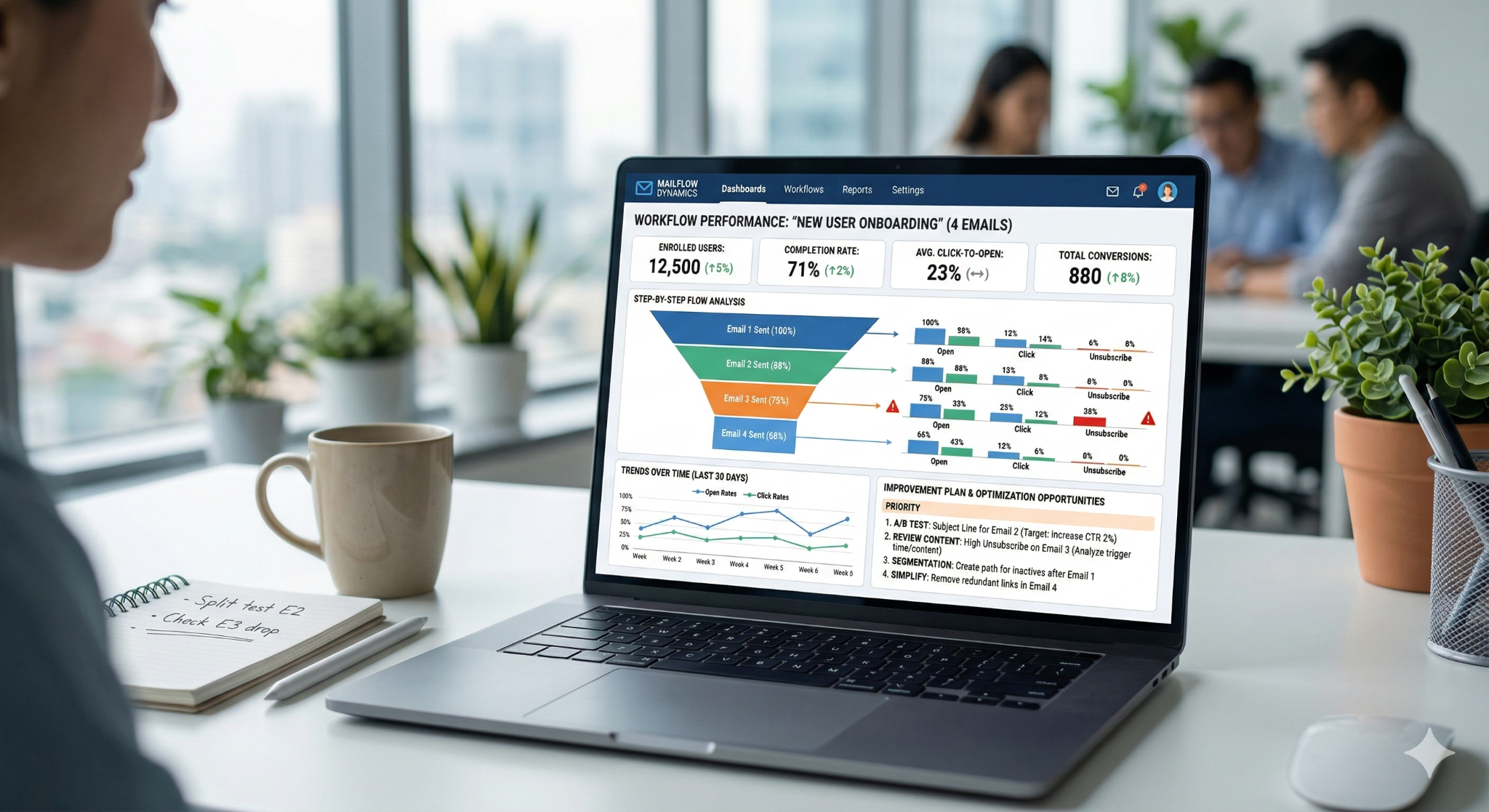
The team uses ChatGPT and Claude to support email drafting, proofreading, and adapting lifecycle messaging for different customer segments. As onboarding workflows become more complex, these tools help reduce the manual effort required to create and maintain multiple variations of the same campaign.
They've also become useful for workflow analysis. Like many software businesses, MeetEdgar had onboarding and lifecycle email sequences in place, but identifying exactly where users were disengaging required significant manual review. Rather than spending hours digging through spreadsheets and performance reports, the team began feeding workflow data into AI tools to help identify underperforming emails and uncover potential opportunities for improvement.
That analysis led to targeted changes across onboarding workflows, including testing new subject lines, refining messaging, and improving CTAs. The goal wasn't to automate decision-making. It was to spend less time searching for problems and more time solving them.
After implementing those improvements, MeetEdgar saw a 21% increase in onboarding email open rates and an 81% increase in click-through rates, demonstrating how small changes to existing workflows can have a meaningful impact on customer engagement.
How to build a human-AI workflow
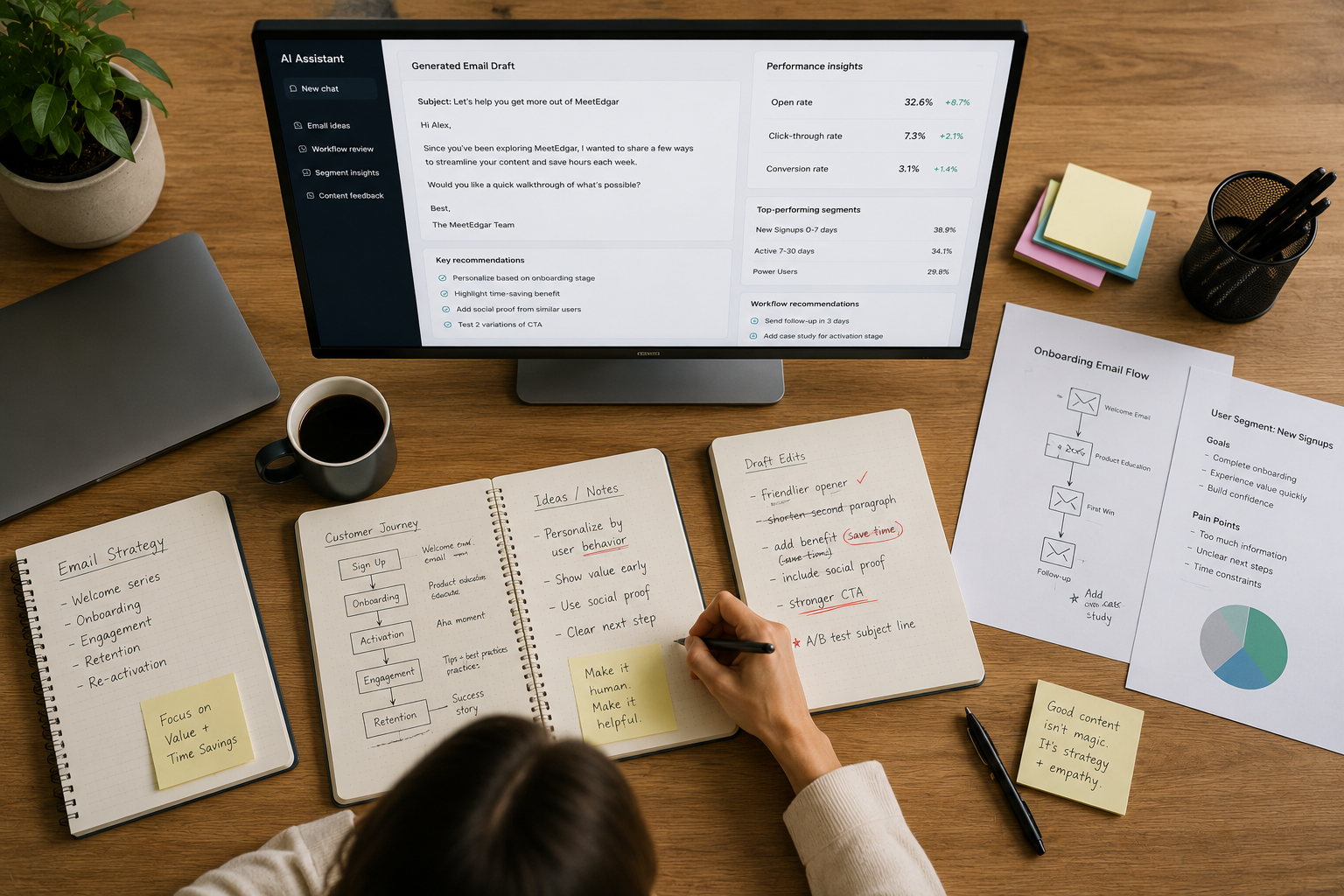
One of the biggest mistakes teams make is treating AI as a complete solution rather than a supporting tool. Whether you're creating onboarding emails, optimizing lifecycle workflows, or analyzing performance data, handing the entire process over to AI rarely produces the best results.
The strongest programs use a hybrid approach. AI helps handle research, analysis, drafting, and repetitive tasks, while people remain responsible for strategy, decision-making, and customer understanding.
Here are four principles worth keeping in mind:
Own the strategy, let AI support the execution
AI can help analyze data, generate content variations, and identify patterns, but it doesn't understand your customers the way your team does.
Your role is to define the customer segments, determine what success looks like, and decide which moments in the customer journey deserve attention. AI can then help execute against that strategy by supporting research, drafting content, and adapting messaging across different scenarios.
Start with good inputs
The quality of your results depends heavily on the quality of the information you're working with.
If behavioural tracking is incomplete, customer segments are poorly defined, or the data being analyzed is inaccurate, AI will struggle to produce useful recommendations. The same applies when reviewing email performance. Focusing AI on the specific metrics or workflows you want to evaluate typically produces far more useful insights than asking broad, open-ended questions.
This was one of the lessons from MeetEdgar's workflow analysis efforts. AI helped surface opportunities for improvement, but only because the team had meaningful performance data to work from in the first place.
Don't settle for generic output
One of the fastest ways to undermine email personalization is to ask AI for generic content.
Generic prompts often produce generic messaging. If you ask AI to "write an onboarding email" or "create a sales email," you'll usually get something that sounds technically correct but could have been written for almost any company.
The best results come from providing context. High-performing email examples, customer insights, brand guidelines, and specific data points all help AI produce more relevant output.
Many teams find success by treating AI less like a blank-page writer and more like a collaborator. Rather than starting from scratch each time, they use AI to build on what's already working. Giving the model examples of successful campaigns makes it far more likely to reflect your brand voice, messaging style, and communication goals.
Keep human oversight in the loop
AI can generate a draft, suggest a subject line, or identify a potential issue in a workflow. It can't fully understand nuance, context, or the broader customer experience.
That's why human review remains critical. Teams still need to evaluate recommendations, challenge assumptions, and make the final decisions about what gets sent and when.
The most effective AI-powered email programs aren't built around replacing people. They're built around giving people better information, better tools, and more time to focus on the work that requires judgment.
Takeaways: Email personalization that scales
AI email personalization isn't a shortcut to better communication. It won't fix a weak onboarding experience, unclear messaging, or poorly designed customer workflows. What it can do is help teams scale the things that are already working.
Throughout this article, we've seen that the most effective use of AI isn't about handing over the entire process. It's about helping teams analyze data, adapt messaging, identify opportunities for improvement, and deliver more relevant communication across the customer lifecycle.
The businesses seeing the strongest results aren't necessarily the ones using the most AI. They're the ones combining thoughtful workflows, meaningful customer data, and human judgment with tools that help them move faster.
If you're looking to get started, keep it simple:
- Start with a single workflow. Focus on one onboarding sequence, lifecycle campaign, or customer segment rather than trying to transform your entire email program at once.
- Use AI tools to support the process. Let them help analyze performance, generate messaging variations, or identify opportunities for improvement, but keep people involved in the decision-making.
- Measure and refine. Track engagement, learn from the results, and use those insights to continuously improve the experience.
Email personalization has never been about sending more messages. It's about making communication more relevant. AI can help make that possible at scale, but the strategy, context, and customer understanding still come from people.
.png)
Related articles

OpenClaw, AI Agents, and the Future of SaaS Work
AI agents are starting to move from side experiments into the flow of real work. OpenClaw shows what that shift can look like for SaaS founders and their teams: where agents can help, how to choose the right use cases, and why guardrails matter.

.jpg)
Conversion rate optimization for SaaS: What actually works in 2026 (and beyond)
SaaS conversion rate optimization has moved beyond button tests and landing page tweaks. Here’s how modern teams can improve acquisition, activation, and retention by focusing on user intent, faster time-to-value, and smarter full-funnel decisions.
